Tools Reference
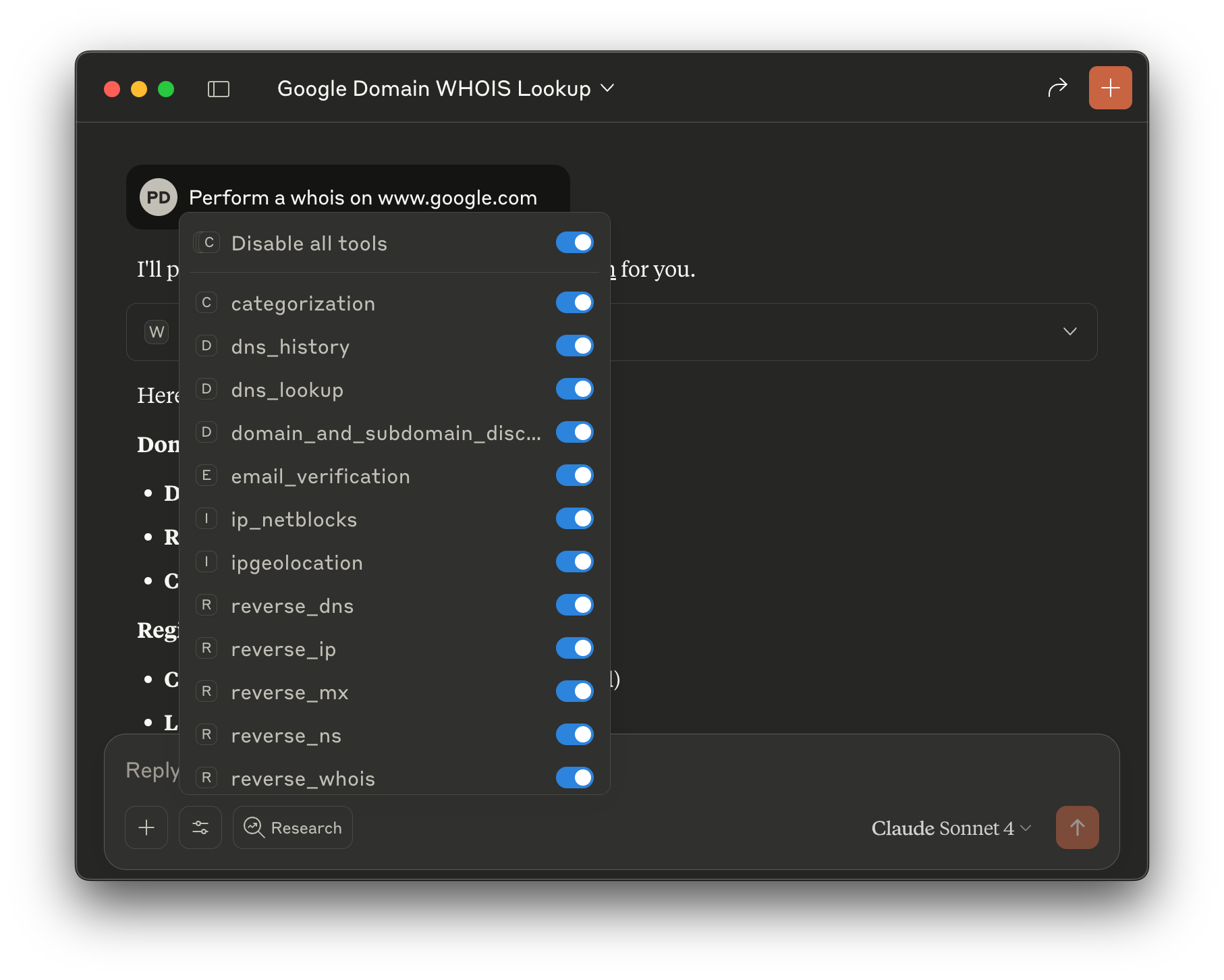
This comprehensive reference covers all 32 tools available in the WhoisXML API MCP Server.
Overview
The WhoisXML API MCP Server provides 25 single-input API tools and 5 bulk variants (plus 2 polling helpers) for querying various types of domain, IP, and DNS information, plus a built-in tool_search utility for dynamic tool discovery. Each API tool is designed to interact with specific WhoisXMLAPI endpoints and provides structured data responses.
The hosted endpoint (mcp-hosted.whoisxmlapi.com) serves the 32 API tools; tool_search is stdio-only, enabled by the --defer-loading flag.
Tools List
whois- Domain WHOIS informationcategorization- Domain categorizationemail_verification- Email verificationreverse_ip- Reverse IP lookupreverse_mx- Reverse MX lookupreverse_ns- Reverse NS lookupreverse_dns- Reverse DNS lookupreverse_whois- Reverse WHOIS lookupreverse_whois_advanced- Advanced Reverse WHOIS lookupregistrant_alert- Registrant-based domain monitoringbrand_alert- Brand-term domain monitoringdisposable_email_check- Disposable email detectionwhois_history- WHOIS historysubdomain_lookup- Subdomain lookupdomain_and_subdomain_discovery- Domain and subdomain discoverydns_lookup- DNS lookupdns_history- DNS historyipgeolocation- IP geolocationip_netblocks- IP netblocksssl_certificates- SSL certificatesthreat_intelligence- Threat intelligencedomain_info- Domain infotyposquatting- Typosquatting group detectiondomain_reputation- Domain reputation scoringwebsite_screenshot- Website screenshot capturetool_search- Dynamic tool discovery (enabled with--defer-loading)
Bulk tools
bulk_whois- Bulk WHOIS lookup (up to 10,000 domains)bulk_dns_lookup- Bulk DNS lookup (up to 200 domains)bulk_ip_geolocation- Bulk IP geolocation (up to 200 IPs)bulk_email_verification- Bulk email verification (up to 10,000 emails)bulk_subdomain_lookup- Bulk subdomain lookup (up to 200 domains)bulk_job_status- Poll progress of a native bulk jobbulk_job_results- Fetch results of a completed native bulk job
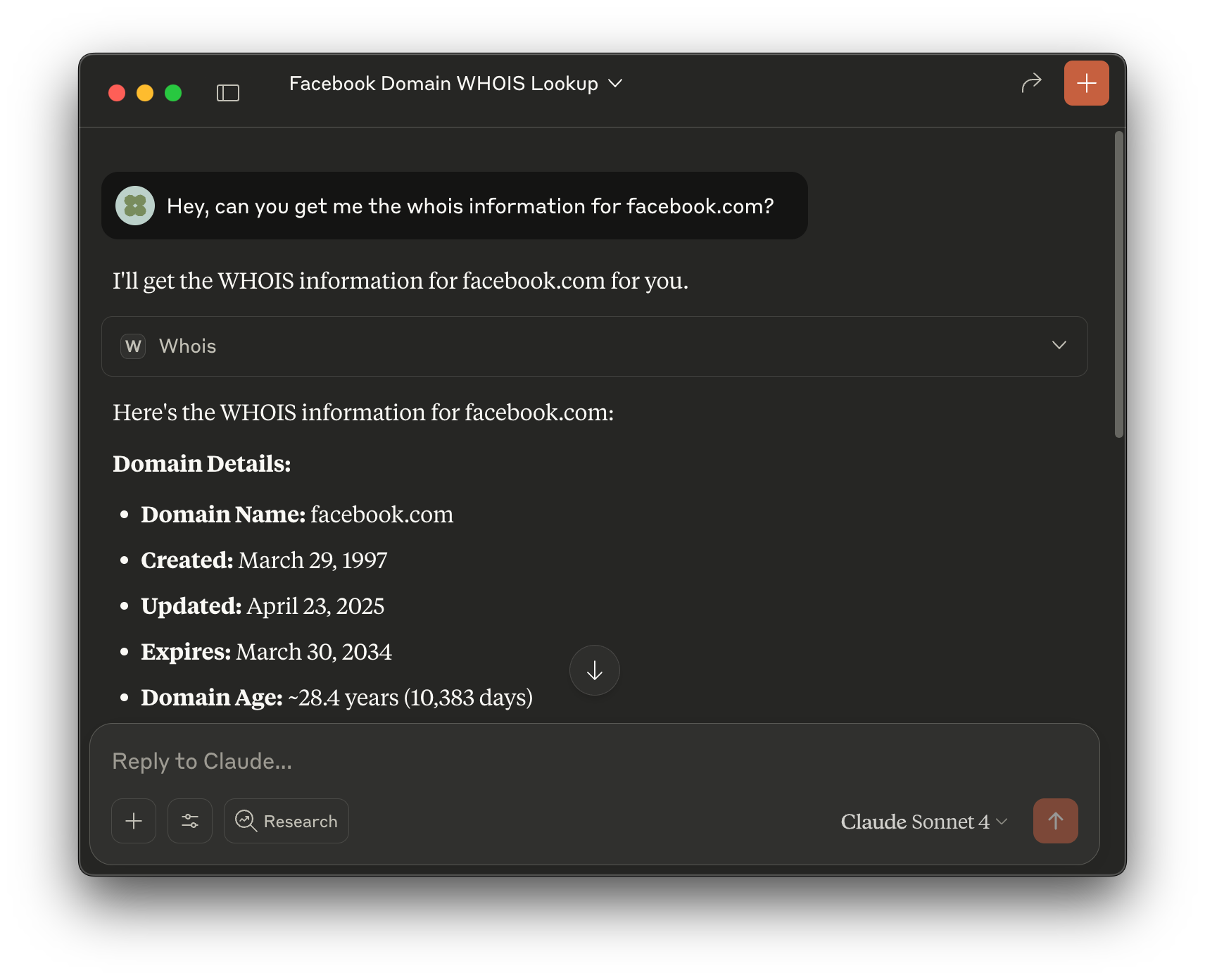
whois
Description: Get WHOIS information for a domain including registration dates, status, nameservers, and contact info.
Arguments
domain(string, required) - Domain name to queryquery_type(string, optional) - Query type: "auto", "whois", or "rdap". "rdap" is only supported in domain queries but might not be available for all domains. "auto" will always choose correctly Default: "auto"prefer_refresh_even_if_incomplete(boolean, optional) - If true, provides most up-to-date but potentially incomplete data Default: falseforce_refresh(boolean, optional) - If true, forces hard refresh. Costs 5 API calls Default: falseinclude_domain_availability(boolean, optional) - If true, includes domain availability status Default: falseinclude_ip_for_domain_queried(boolean, optional) - If true, includes hosting IP address for the domain Default: falseget_host_ip_whois_on_no_domain_data(boolean, optional) - If true, returns host IP WHOIS when domain WHOIS is unavailable Default: falseget_registrar_proxy_data(boolean, optional) - If true, includes registrar WHOIS proxy info in "privateWhoisProxy" Default: falsefetch_whois_from_registry_only(boolean, optional) - If true, returns only registry WHOIS data, not registrar data Default: falseremove_raw_text(boolean, optional) - If true, removes raw text from WHOIS output Default: falseparse_registry_raw_text(boolean, optional) - If true, provides parsed format for registry information Default: falseparse_registrar_raw_text(boolean, optional) - If true, provides parsed format for registrar information Default: false
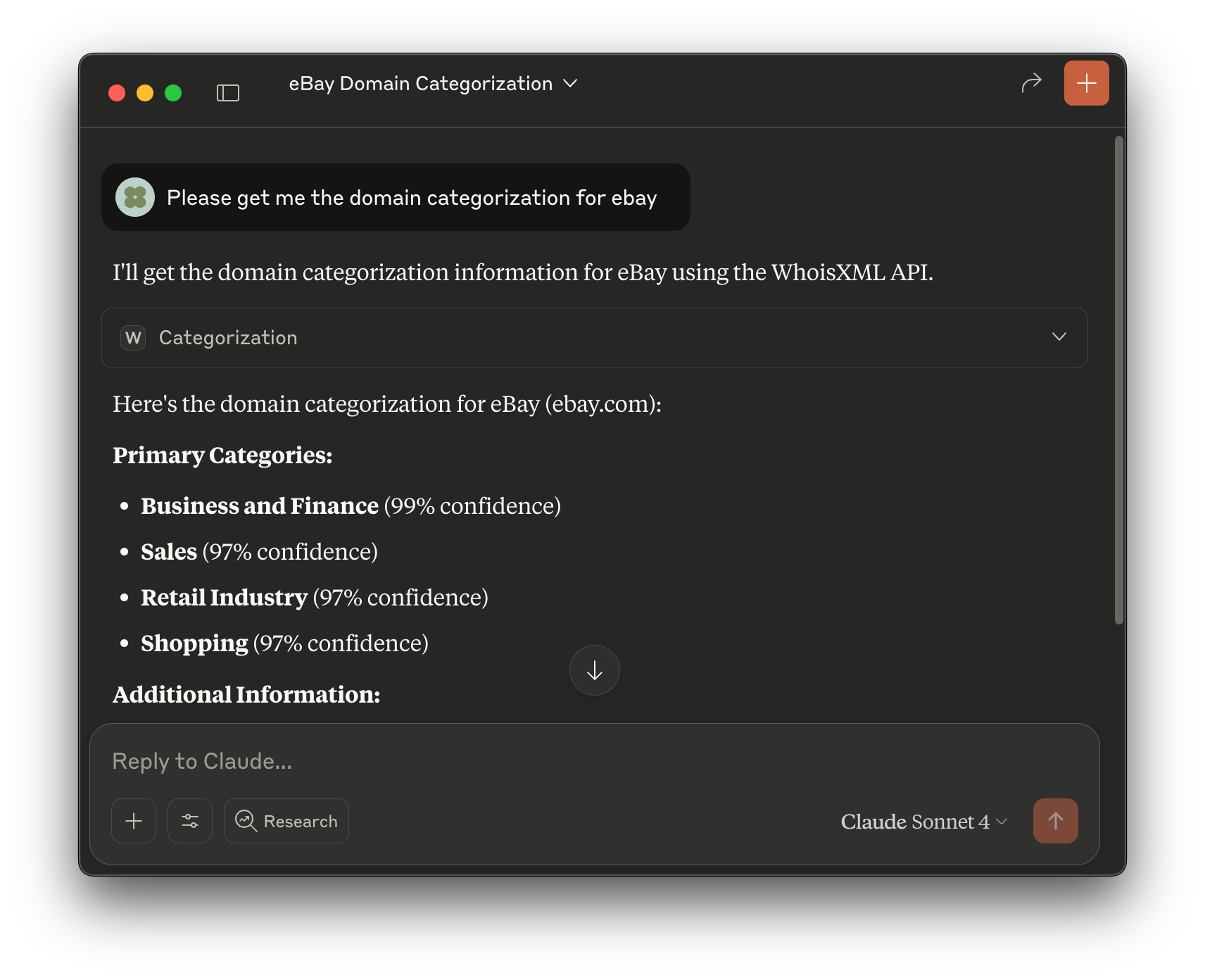
categorization
Description: Classify a domain into IAB Content Taxonomy v3.1 content categories (Website Categorization v4).
Arguments
domain(string, required) - Domain name to categorize (e.g.,example.com)url(string, optional) - Full URL to classify. Defaults upstream tohttps://{domain}; set it to categorize a specific page rather than the domain root
Response
Returns 1-3 ranked categories plus a primary_category shortcut. Each category carries a string ID (e.g. "IAB-596"), a hierarchical path ("Shopping > Online Marketplace") with tier1..tier4 levels, and a confidence score. Response metadata: taxonomy_version, credits_charged, latency_ms, model, an abstain object (flags parked/dead/thin sites with no real business purpose), a source object (is_historical_fallback marks results served from historical data when the live crawl was blocked), and error.
Compared to the legacy v3 backend, the response no longer includes ASN data (as), createdDate, or websiteResponded — use ip_netblocks / whois for infrastructure and registration facts.
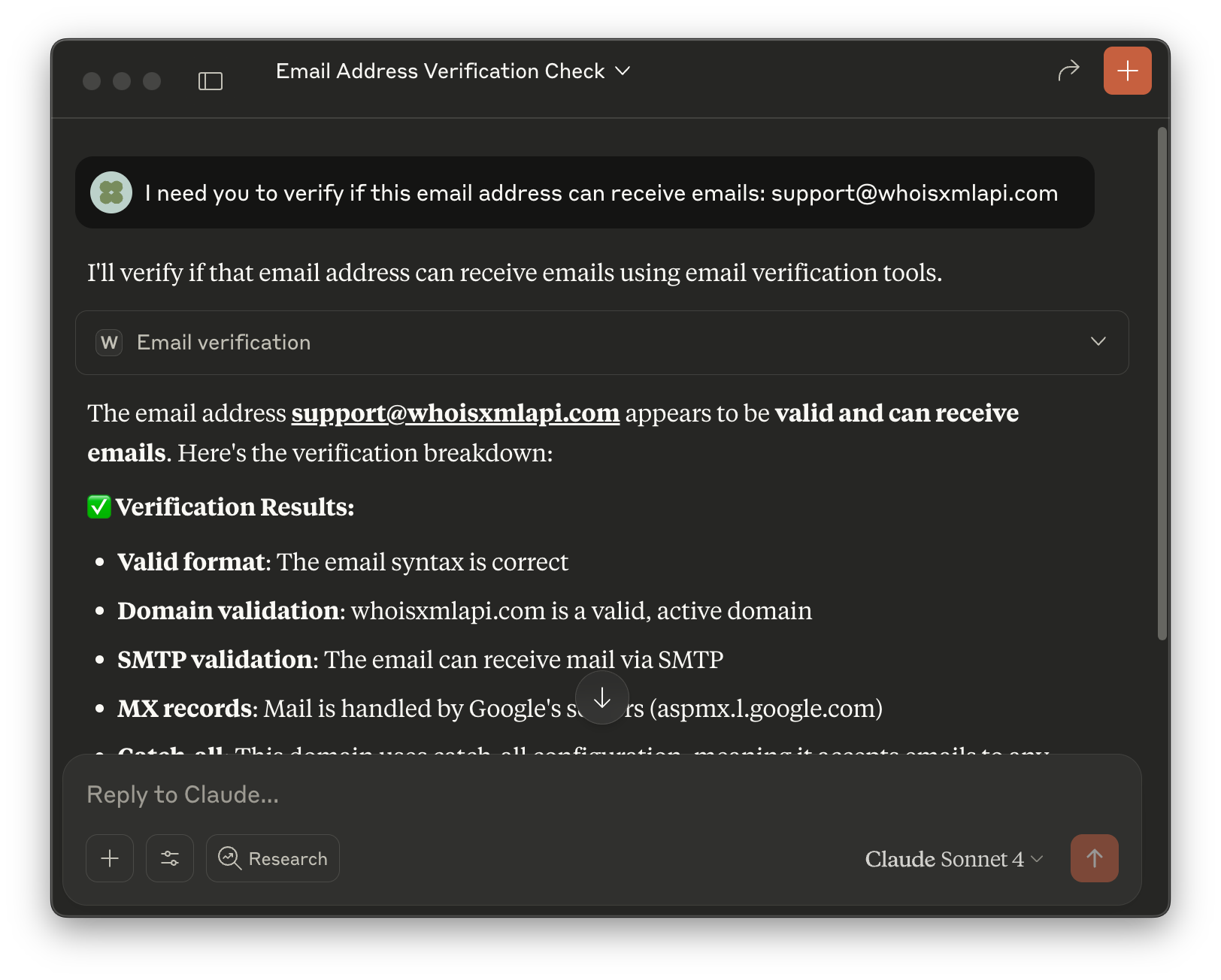
email_verification
Description: Verify if an email address is legitimate. Checks syntax, SMTP, DNS, free/disposable status, and catch-all configuration.
Arguments
email(string, required) - Email address to verifyvalidate_using_dns(boolean, optional) - Validate using DNS records Default: truevalidate_using_smtp(boolean, optional) - Validate using SMTP Default: truecheck_if_email_is_catch_all(boolean, optional) - Check if email is catch-all Default: truecheck_if_email_is_free(boolean, optional) - Check if email is free Default: truecheck_if_email_is_disposable(boolean, optional) - Check if email is disposable Default: true
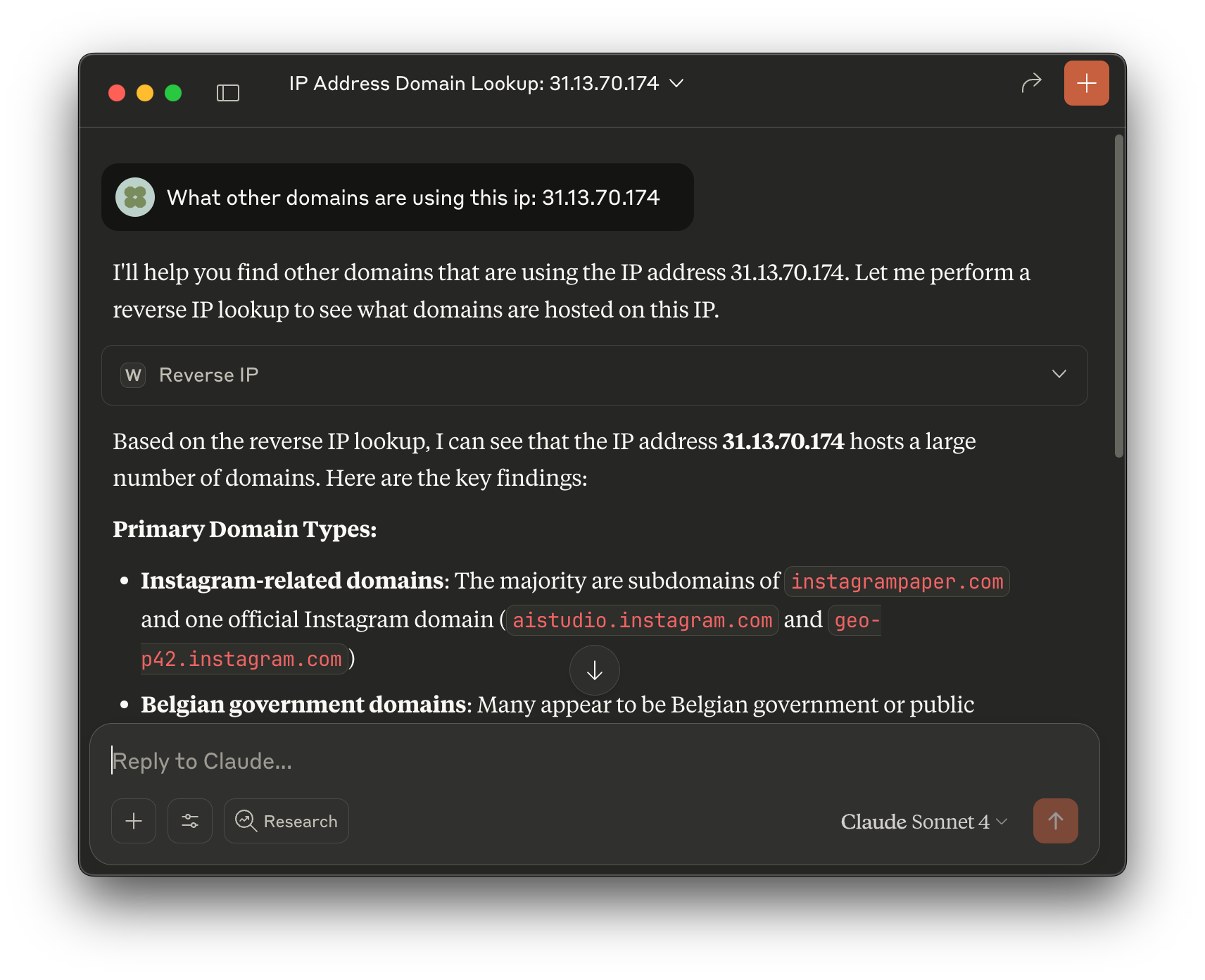
reverse_ip
Description: Find all domains sharing the same IP address and connection dates.
Arguments
ipv4_address(string, required) - IPv4 address to searchfrom_needle(string, optional) - Pagination needle from previous response. Max 300 records per pageinclude_additional_checks(boolean, optional) - If true, performs additional DNS checks (wildcard, domain activeness). Slower but more detailed Default: falsepreview(boolean, optional) - If true, returns just the domain names without additional information Default: false
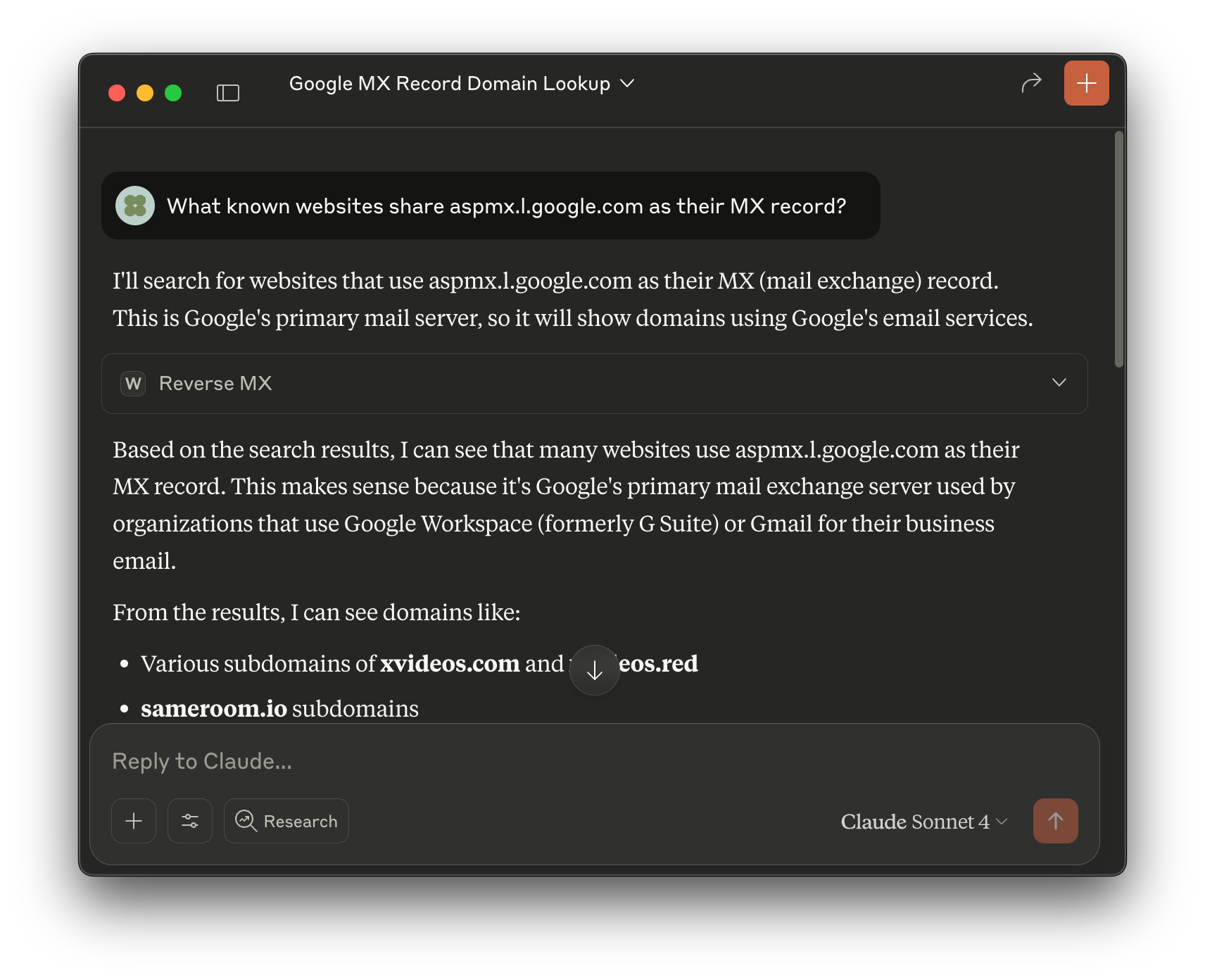
reverse_mx
Description: Find all services sharing the same MX server and connection dates.
Arguments
mx_hostname(string, required) - MX hostname to searchfrom_needle(string, optional) - Pagination needle from previous response. Max 300 records per pageinclude_additional_checks(boolean, optional) - If true, performs wildcard and domain activeness checks. Extra cost Default: falsepreview(boolean, optional) - If true, returns just the domain names without additional information Default: false
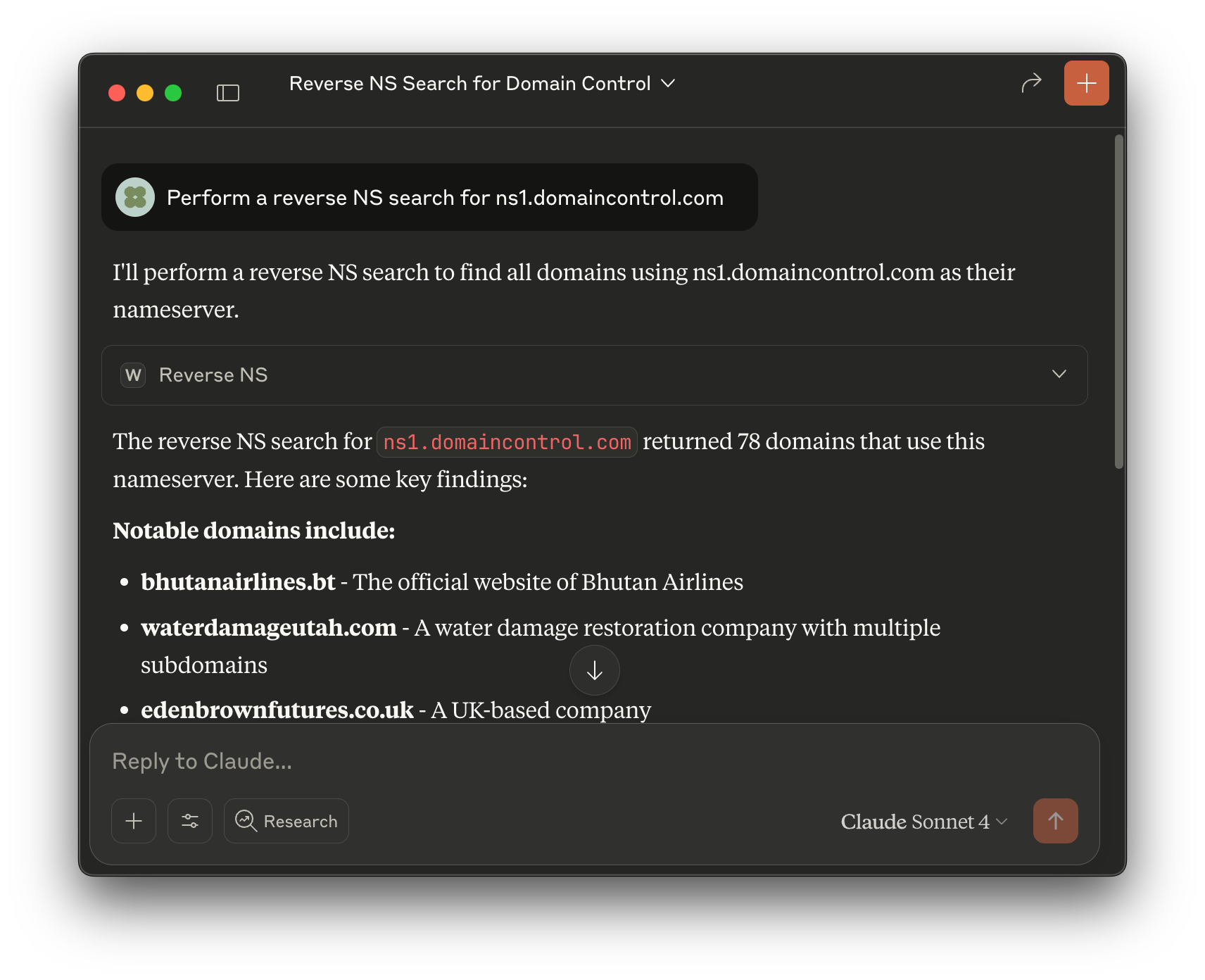
reverse_ns
Description: Find all services sharing the same NS nameserver and connection dates.
Arguments
ns_hostname(string, required) - NS nameserver hostname to searchfrom_needle(string, optional) - Pagination needle from previous response. Max 300 records per pageinclude_additional_checks(boolean, optional) - If true, performs wildcard and domain activeness checks. Extra cost Default: falsepreview(boolean, optional) - If true, returns just the domain names without additional information Default: false
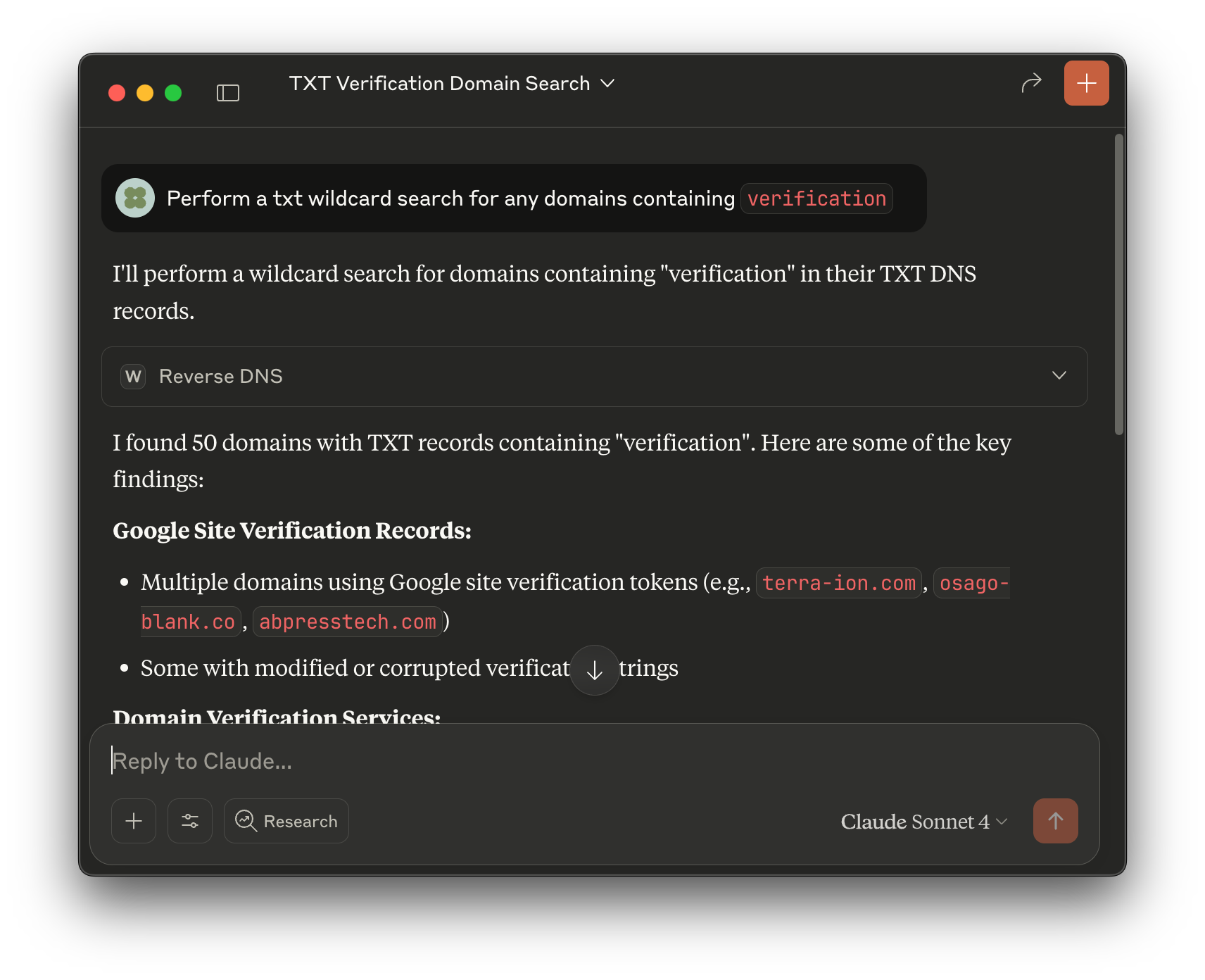
reverse_dns
Description: Find DNS records matching search criteria. Returns domains and DNS record values. Must use wildcards in the "term" field for partial matches otherwise the search will be exact.
Arguments
record_type(string, required) - DNS record type: "soa", "txt", or "cname". Case insensitiveterms(array, required) - Search terms array defining what to search for in DNS records. Must use wildcards for partial matches otherwise the search will be exactlimit(number, optional) - Maximum records to return. Recommended to start with 10 and increase if needed. Max: 1000. Range: 1-1000 Default: 10include_additional_checks(boolean, optional) - If true, performs wildcard and domain activeness checks. Extra cost Default: falsepreview(boolean, optional) - If true, returns just the domain names without additional information Default: false
Terms Array Structure
Each term in the terms array should contain:
field(string, required) - Field to search: "domain" or "value"term(string, required) - Search keyword. Supports wildcardsexclude(boolean, optional) - If true, excludes matching records from results Default: false
reverse_whois
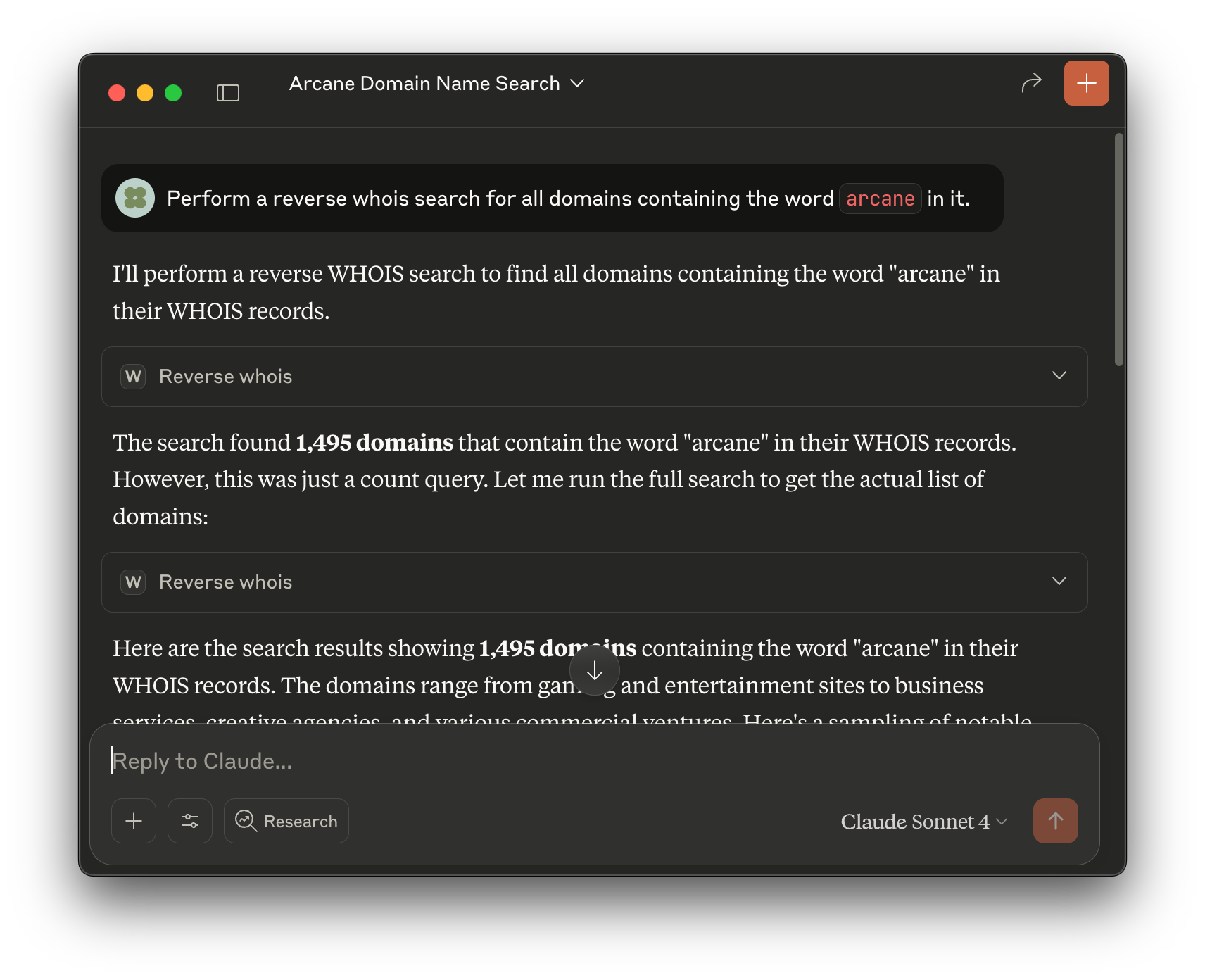
Description: Find domains containing specific search terms in their whois records.
Arguments
included_search_terms(string, required) - Comma-separated search terms to include. Max 4 items. Case insensitiveexcluded_search_terms(string, optional) - Comma-separated search terms to exclude. Max 4 items. Case insensitivesearch_type(string, optional) - Search type: "current" or "historic". "current" searches current records, "historic" searches all recordscount_only(boolean, optional) - If true, returns only count (no credit usage). If false, returns domain list Default: falsepunycode(boolean, optional) - If true, encodes domain names to Punycode Default: falseinclude_audit_dates(boolean, optional) - If true, includes domain list and last audit date Default: truecreated_date_from(string, optional) - Search domains created after this date. Format: YYYY-MM-DDcreated_date_to(string, optional) - Search domains created before this date. Format: YYYY-MM-DDupdated_date_from(string, optional) - Search domains updated after this date. Format: YYYY-MM-DDupdated_date_to(string, optional) - Search domains updated before this date. Format: YYYY-MM-DDsearch_after(string, optional) - Pagination needle from previous page's "nextPageSearchAfter" value
reverse_whois_advanced
Description: Find domains using advanced field-specific search on WHOIS records. Each search term targets a specific WHOIS field with optional exact match and exclude flags. Up to 4 search terms combined with AND logic.
Arguments
search_terms(string, required) - JSON array of search term objects (max 4). Each object has:field(string, required) - The WHOIS field to search. Valid values:DomainName,RegistrarName,NameServers,Email,WhoisServer,Status, and contact-type fields likeRegistrantContact.Organization,AdminContact.Email,BillingContact.Country,TechContact.Name, etc.term(string, required) - Search string. Case insensitive. Supports trailing, leading, and intermediate wildcards (e.g.,airb*,*bnb.com)exclude(boolean, optional) - If true, excludes matching records from results. Default: falseexact_match(boolean, optional) - If true, requires an exact field match instead of substring. Default: false
search_type(string, optional) - Search type: "current" or "historic". "current" searches current records, "historic" searches all recordscount_only(boolean, optional) - If true, returns only count (no credit usage). If false, returns domain list Default: falsepunycode(boolean, optional) - If true, encodes domain names to Punycode Default: falseinclude_audit_dates(boolean, optional) - If true, includes domain list and last audit date Default: truecreated_date_from(string, optional) - Search domains created after this date. Format: YYYY-MM-DDcreated_date_to(string, optional) - Search domains created before this date. Format: YYYY-MM-DDupdated_date_from(string, optional) - Search domains updated after this date. Format: YYYY-MM-DDupdated_date_to(string, optional) - Search domains updated before this date. Format: YYYY-MM-DDsearch_after(string, optional) - Pagination needle from previous page's "nextPageSearchAfter" value
Example
Search for domains registered by "Airbnb, Inc." outside the United States:
{
  "search_terms": "[{\"field\":\"RegistrantContact.Organization\",\"term\":\"Airbnb, Inc.\",\"exact_match\":true},{\"field\":\"RegistrantContact.Country\",\"term\":\"UNITED STATES\",\"exclude\":true}]"
}
registrant_alert
Description: Find newly added, dropped, or updated domains whose WHOIS records match search terms in registrant contact fields (email, name, organisation, etc.). Use this for brand-impersonation monitoring and threat-actor infrastructure tracking. Do NOT use this for general WHOIS-text matching (use reverse_whois) or for domain-name string matching.
Arguments
included_search_terms(string, required) - Comma-separated terms to include (AND logic). Max 4 items. Case insensitive. Wildcards * supportedexcluded_search_terms(string, optional) - Comma-separated terms to exclude. Max 4 itemsdate(string, optional) - Date to query in YYYY-MM-DD format. When omitted, the upstream API uses its own default (typically yesterday)mode(string, required) - "preview" returns count only (no credits used). "purchase" returns the full domain listaction(string, required) - Lifecycle event: "added" (newly registered), "dropped" (deleted from zone), or "updated" (WHOIS modified)punycode(boolean, optional) - If true, encodes domain names to Punycodewith_typos(boolean, optional) - If true, includes typo variations of search terms
brand_alert
Description: Find newly added, dropped, or updated domains whose names contain specified brand terms. Use this for typosquat detection, lookalike-domain monitoring, and brand-protection workflows. Do NOT use this for matching against WHOIS contact fields (use registrant_alert) or for general WHOIS-text matching (use reverse_whois). Set with_typos=true to automatically expand brand terms with common typo variants.
Arguments
included_search_terms(string, required) - Comma-separated brand terms to include (AND logic). Max 4 items. Case insensitive. Wildcards * supportedexcluded_search_terms(string, optional) - Comma-separated terms to exclude. Max 4 itemsdate(string, optional) - Date to query in YYYY-MM-DD format. When omitted, the upstream API uses its own default (typically yesterday)mode(string, required) - "preview" returns count only (no credits used). "purchase" returns the full domain listaction(string, required) - Lifecycle event: "added" (newly registered), "dropped" (deleted from zone), or "updated" (WHOIS modified)punycode(boolean, optional) - If true, encodes domain names to Punycodewith_typos(boolean, optional) - If true, includes typo variations of brand terms (transposed letters, homoglyphs, missing chars, etc.)
disposable_email_check
Description: Check whether an email address belongs to a disposable or temporary provider (e.g., mailinator, 10minutemail, guerrillamail). Returns a boolean verdict and the domain extracted from the address. Use this for lead-gen hygiene, signup-fraud filtering, or free-trial abuse detection when you only need the disposable verdict. Do NOT use this for full deliverability or mailbox-reachability checks — use email_verification instead.
Arguments
email(string, required) - Email address to check (e.g., user@mailinator.com)
Response
Returns a slim verdict object: email, isDisposable (boolean), domain (extracted from the address), and checkedAt (RFC 3339 UTC timestamp).
whois_history
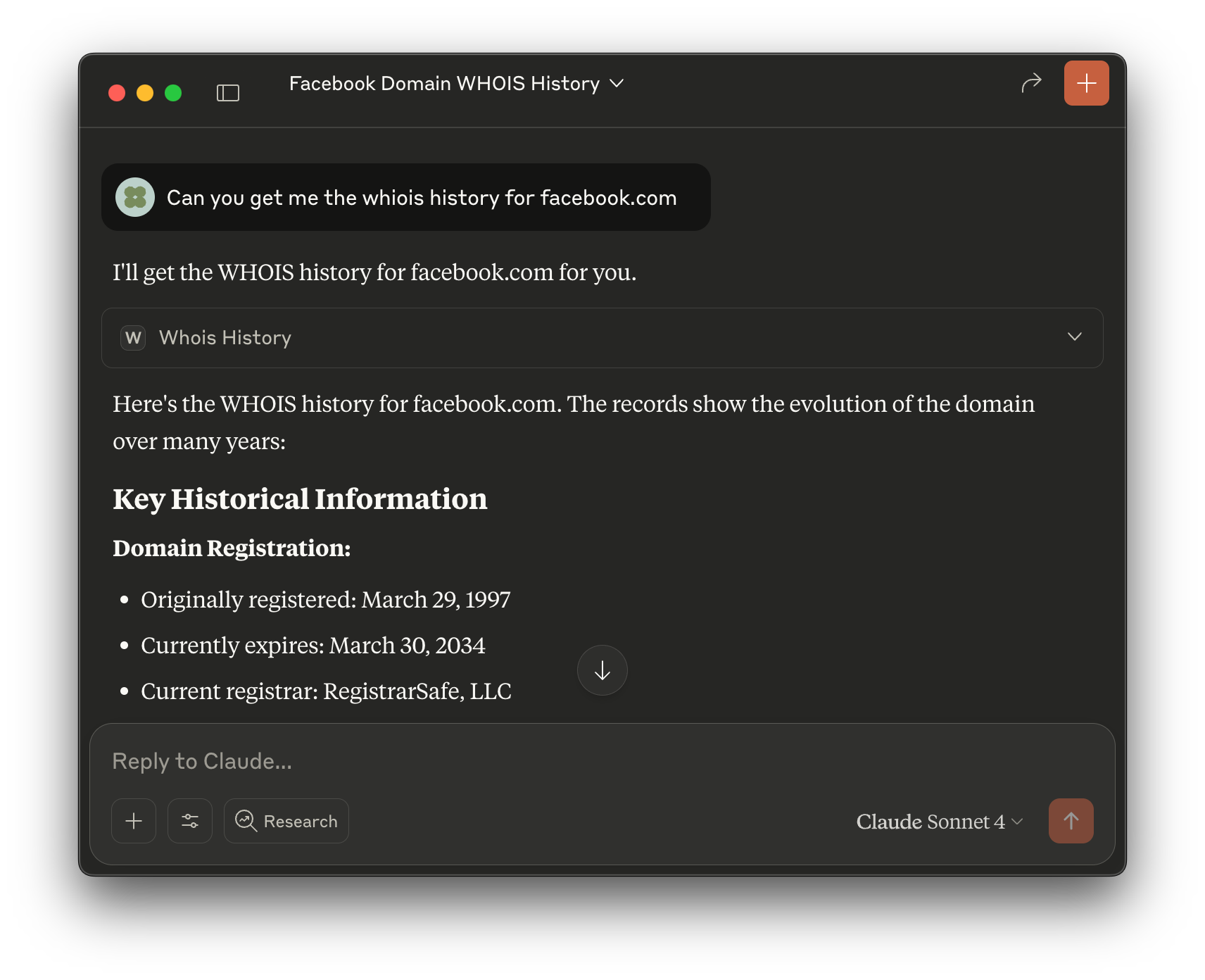
Description: Get historical WHOIS records for a domain including past nameservers, contacts, and registrar info. Supports pagination for large result sets.
Arguments
domain_name(string, required) - Domain name to searchlimit(number, optional) - Number of records to return per page. Range: 1-100 Default: 100next_page_token(string, optional) - Token from the previous response'snext_page_tokenfield to fetch the next page. Note: Onlynext_page_tokenis accepted - do not usesearch_after,page_token, orcursorpreview_mode(boolean, optional) - If true, returns only the number of records but no data. It's 50 times cheaper than the full response Default: falseskip_live_whois_records(boolean, optional) - If true, excludes most recent WHOIS record. Faster response Default: falsesince_date(string, optional) - Return results from this date onwards. Format: YYYY-MM-DDcreated_date_from(string, optional) - Search domains created after this date. Format: YYYY-MM-DDcreated_date_to(string, optional) - Search domains created before this date. Format: YYYY-MM-DDupdated_date_from(string, optional) - Search domains updated after this date. Format: YYYY-MM-DDupdated_date_to(string, optional) - Search domains updated before this date. Format: YYYY-MM-DDexpired_date_from(string, optional) - Search domains expired after this date. Format: YYYY-MM-DDexpired_date_to(string, optional) - Search domains expired before this date. Format: YYYY-MM-DD
Pagination
Responses include a pagination object with:
total_count- Total number of records availablepage_number- Current page number (1-indexed)limit- Number of records in current pagehas_more- Whether more pages are availablenext_page_token- Token to use for the next page (only present ifhas_moreis true). Pass this value as thenext_page_tokenparameter to fetch the next page
subdomain_lookup
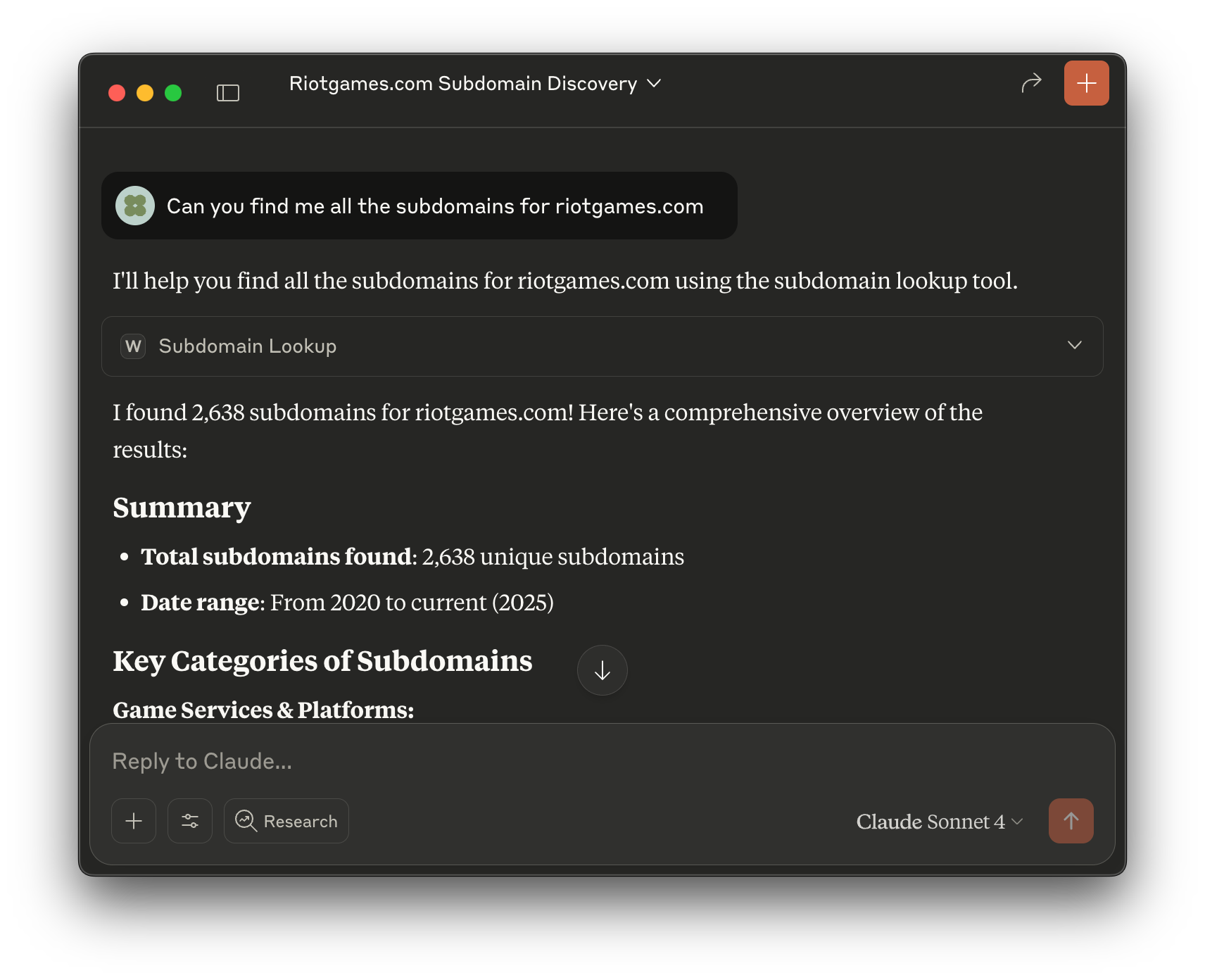
Description: Find all subdomains for a domain with first and last seen timestamps. Supports pagination for large result sets.
Arguments
domain_name(string, required) - Domain name to lookup subdomains forlimit(number, optional) - Number of subdomains to return per page. Range: 1-500 Default: 500next_page_token(string, optional) - Token from the previous response'snext_page_tokenfield to fetch the next page. Note: Onlynext_page_tokenis accepted - do not usesearch_after,page_token, orcursor
Pagination
Responses include a pagination object with:
total_count- Total number of subdomains foundpage_number- Current page number (1-indexed)limit- Number of subdomains in current pagehas_more- Whether more pages are availablenext_page_token- Token to use for the next page (only present ifhas_moreis true). Pass this value as thenext_page_tokenparameter to fetch the next page
domain_and_subdomain_discovery
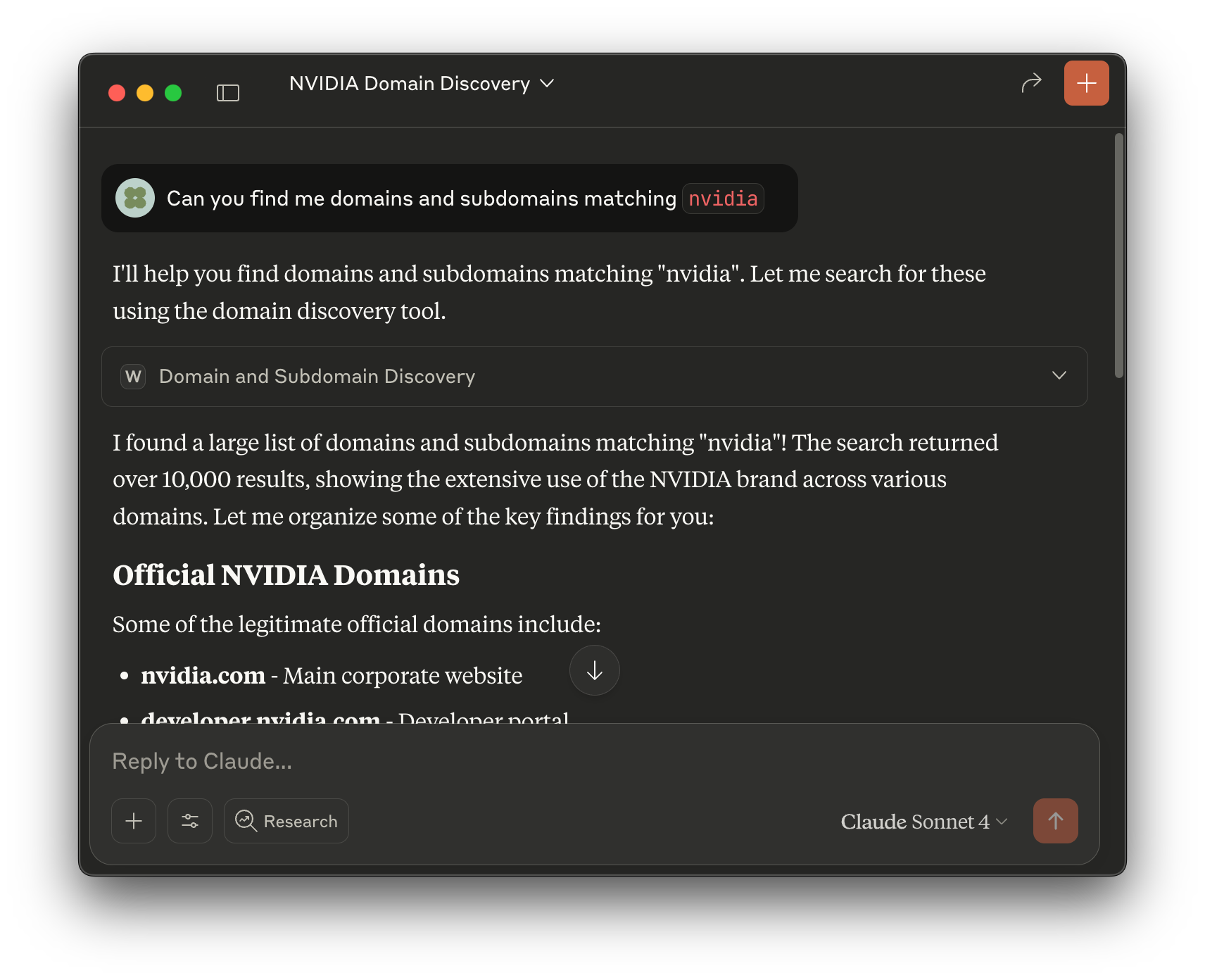
Description: Find domains and subdomains matching search terms. Must use wildcards for partial matches otherwise the search will be exact.
Arguments
domain_search_terms(string, optional) - Comma-separated domain search terms. Max 4 items. Case insensitive. Must use wildcards for partial matches otherwise the search will be exactdomain_search_terms_exclude(string, optional) - Comma-separated domain search terms to exclude. Max 4 items. Case insensitivesubdomains_search_terms(string, optional) - Comma-separated subdomain search terms. Max 4 items. Case insensitivesubdomains_search_terms_exclude(string, optional) - Comma-separated subdomain search terms to exclude. Max 4 items. Case insensitivesince(string, optional) - Search domains/subdomains discovered since this date. Format: YYYY-MM-DD
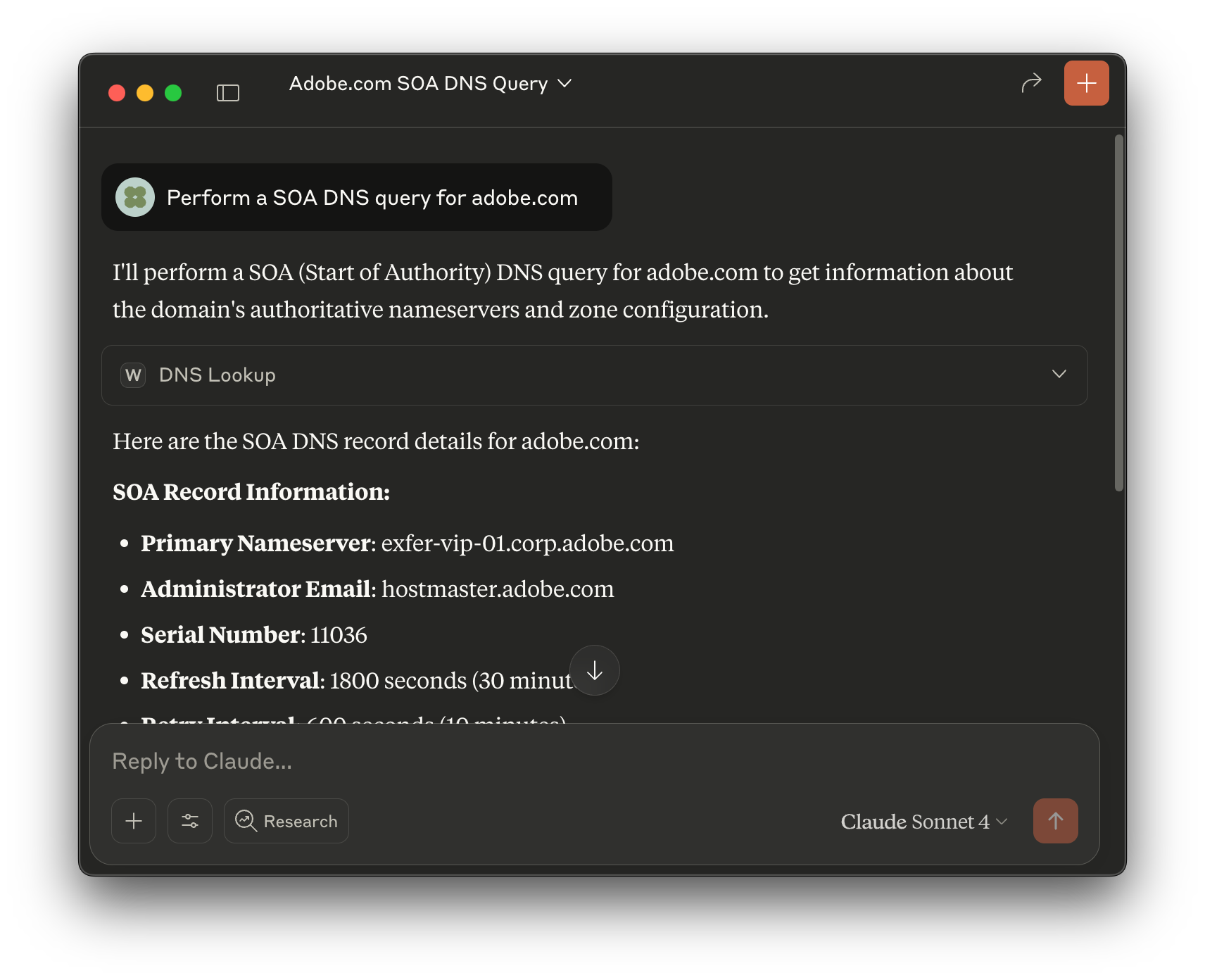
dns_lookup
Description: Perform DNS queries for a domain (A, NS, SOA, MX, etc.).
Arguments
domain_name(string, required) - Domain name to queryquery_type(string, optional) - Comma-separated DNS query types (A, MX, NS, SOA, etc.) or "all" Default: "A"
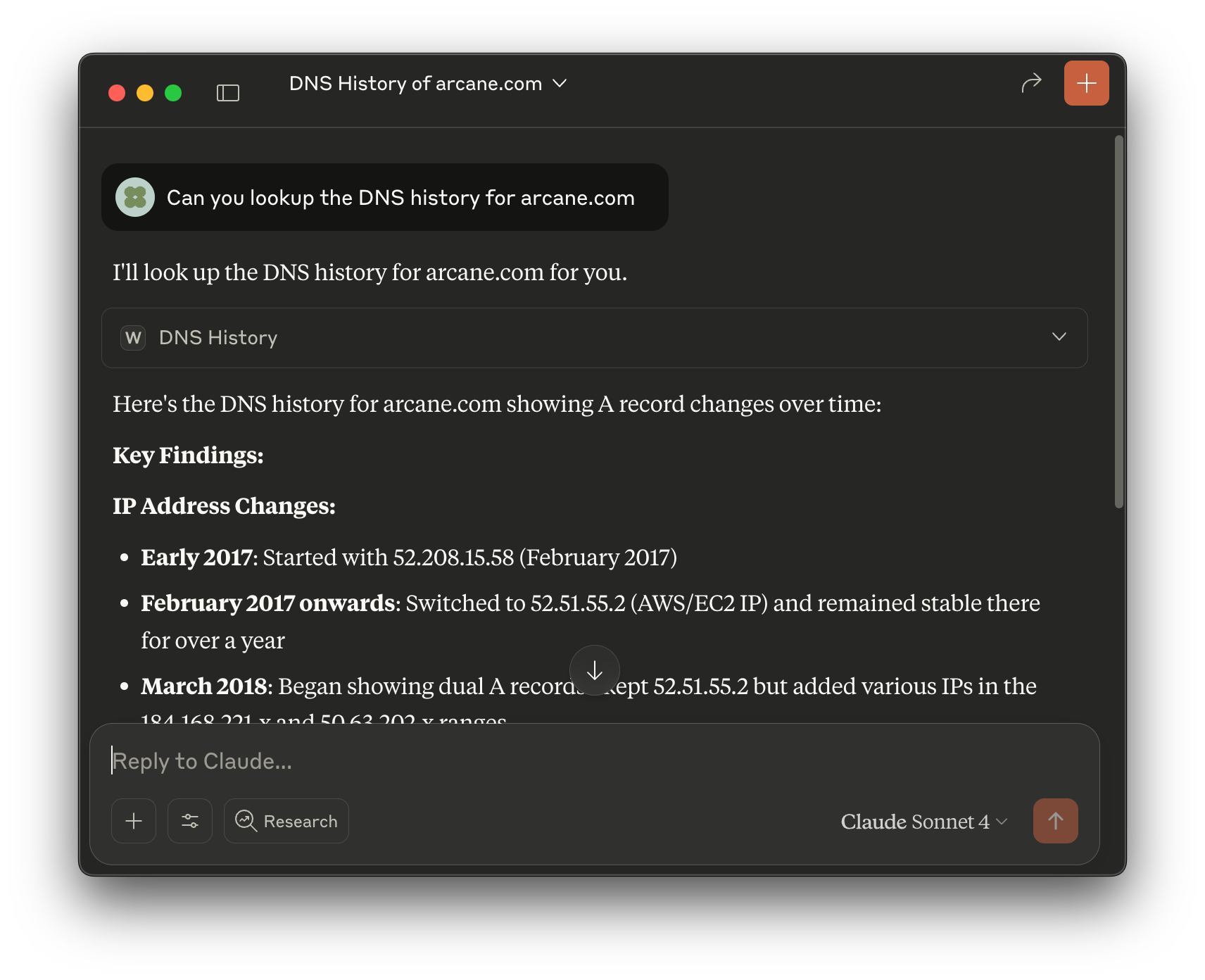
dns_history
Description: Get historical DNS records for a domain (forward) or find domains associated with an IP (reverse).
Arguments
search_type(string, required) - Search type: "forward" or "reverse"record_type(string, required) - DNS record type: "a" or "aaaa". Case insensitivedomain_name(string, conditional) - Required if "forward" search type. Domain name to searchip_address(string, conditional) - Required if "reverse" search type. IP address to search. IPv4 returns A records, IPv6 returns AAAA recordslimit(number, required) - Maximum records to return. Range: 1-10000
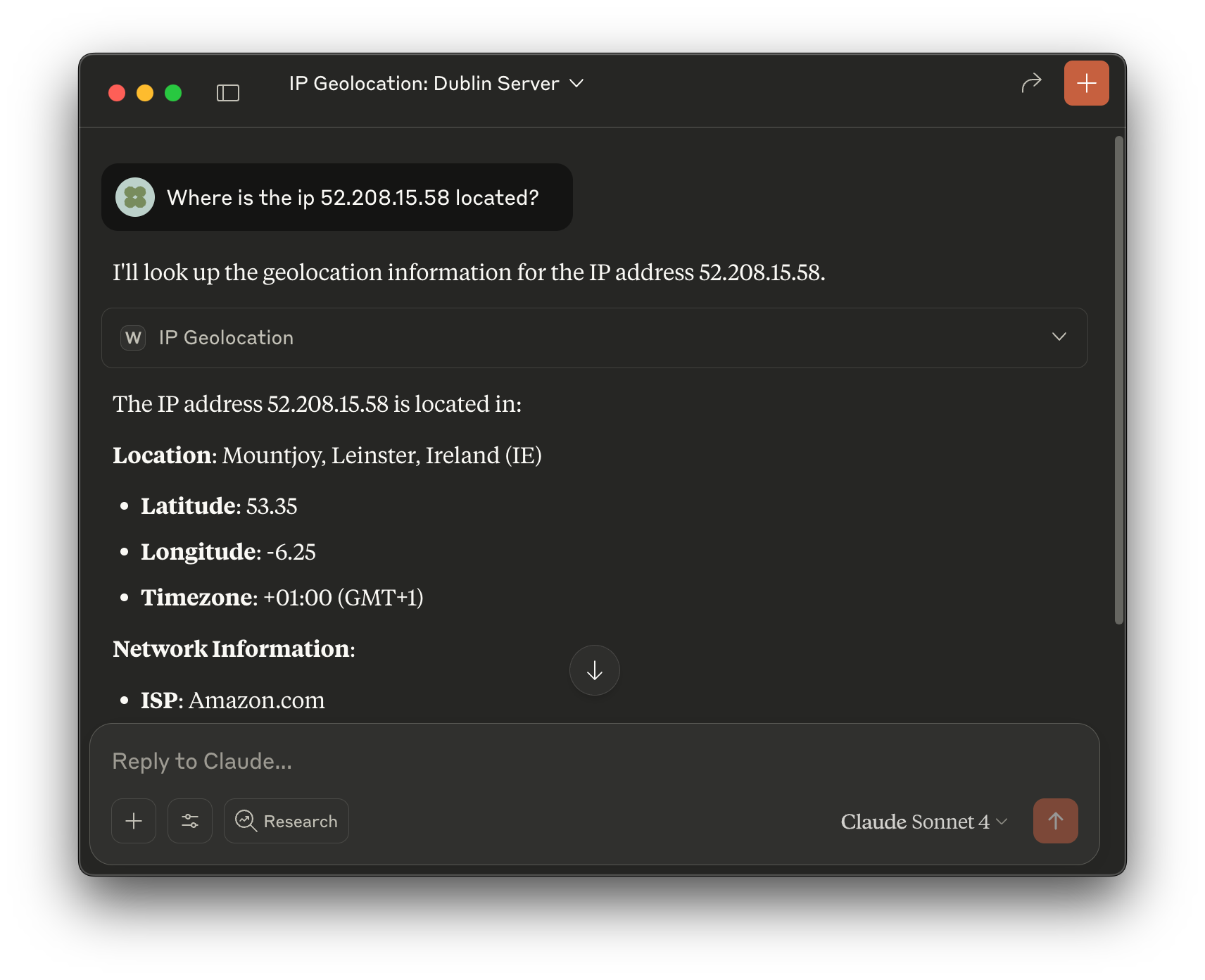
ipgeolocation
Description: Get location data for IP addresses, domains, or email addresses. Uses caller's IP if no address provided.
Arguments
ip_address(string, optional) - IPv4 or IPv6 address. Cannot be used with domain_name or email_addressdomain_name(string, optional) - Domain address. Cannot be used with ip_address or email_addressemail_address(string, optional) - Email address. Cannot be used with ip_address or domain_namereverse_ip(boolean, optional) - If true, returns 5 domains associated with the IP address Default: false
Note: Only one of ip_address, domain_name, or email_address can be provided. If none are provided, the caller's IP address will be used.
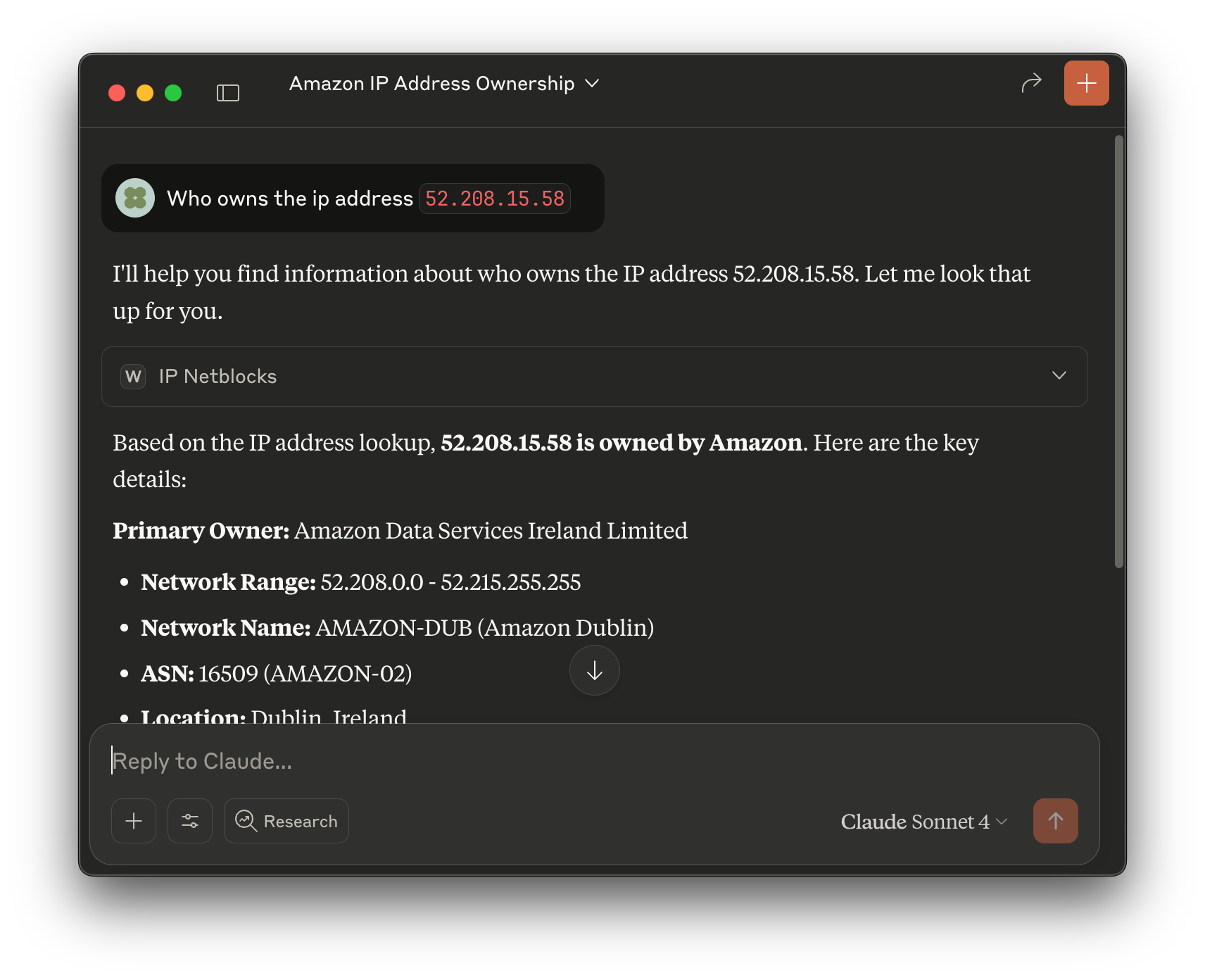
ip_netblocks
Description: Get IP netblock information including IP ranges, ASN, and organization data.
Arguments
ip_address(string, optional) - IPv4 or IPv6 address to searchorganizations(string, optional) - Comma-separated organization search termsasn(string, optional) - ASN number to searchnetmask_value(number, optional) - Netmask value: 0-32 for IPv4, 0-128 for IPv6limit(number, optional) - Maximum records per page. Max: 1000. Range: 1-1000 Default: 100from_needle(string, optional) - Pagination needle from previous page's "inetnum" response
Note: At least one of ip_address, organizations, or asn must be provided.
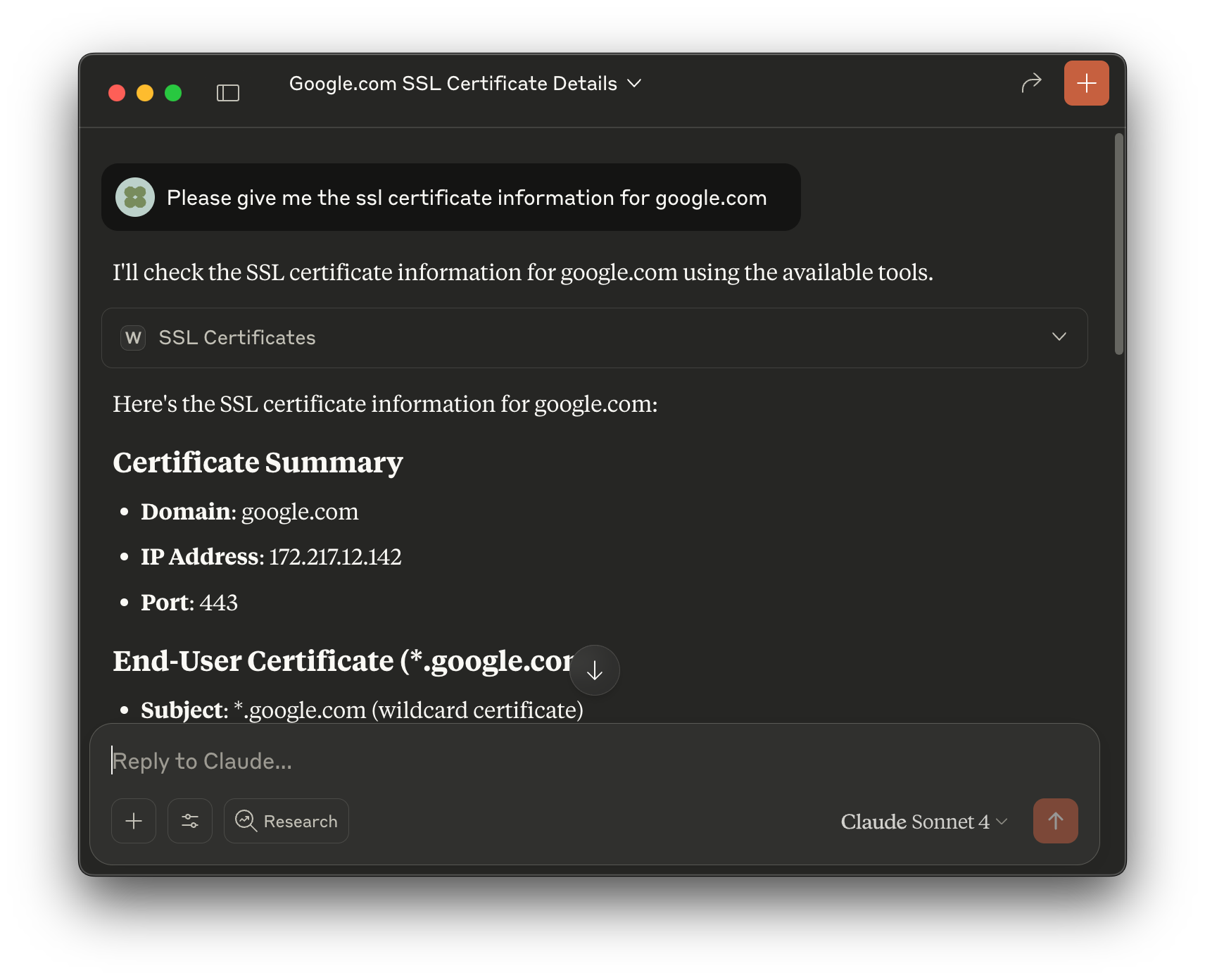
ssl_certificates
Description: Check TLS certificate chain for a domain to analyze certificate validity, expiration, and chain structure
Arguments
domain(string, required) - The domain name to check TLS certificate for (e.g., example.com)include_chain(boolean, optional) - Whether to include the full certificate chain in the response Default: falseuse_fresh_data(boolean, optional) - Whether to get fresh data instead of cached results Default: false
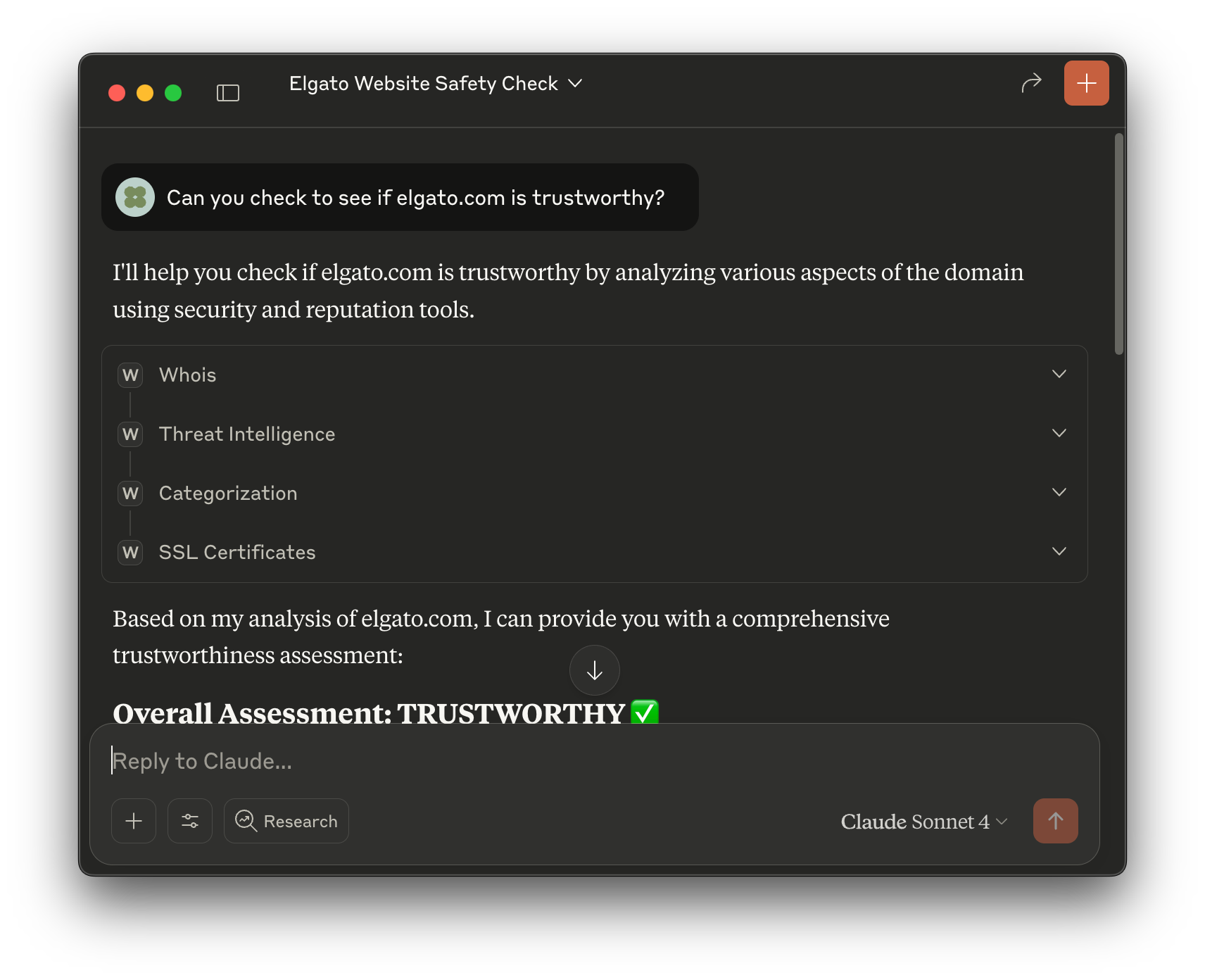
threat_intelligence
Description: Check if IoCs (domains, URLs, IPs, CIDRs, hashes) are associated with malicious activity.
Arguments
search_term(string, required) - IoC to check: domain, URL, IP, CIDR, or hash. Supports wildcards for domains, URLs, IPslimit(number, optional) - Maximum records per page. Max: 10,000. Every 100 records = 1 credit. Range: 1-10000
domain_info
Description: Get comprehensive domain information including registration details, DNS records, and domain availability.
Arguments
domain_name(string, required) - Domain name to query (e.g., example.com)
typosquatting
Description: Check whether a domain is part of a known typosquatting group, or expand all domains across all groups the queried domain belongs to. Use mode="probe" for a fast triage check (returns inGroup boolean + groupId). Use mode="group" for the heavy follow-up that returns every domain across all groups containing this domain — useful for understanding the full lookalike infrastructure.
Arguments
domain(string, required) - Domain to check (e.g.,gogle.com)mode(string, optional) - Response shape:"probe"— returnsinGroup,groupIdonly (1 credit, fast)"group"— returns the full list of domains across all groups (5 credits, heavier)
Default:
"probe"
Example invocation
{
  "tool": "typosquatting",
  "arguments": {
    "domain": "paypal.com",
    "mode": "probe"
  }
}
Example response (probe mode)
{
  "whoisxmlapi_response": {
    "domain": "paypal.com",
    "inGroup": true,
    "groupId": "group-12345"
  }
}
Example response (group mode)
{
  "whoisxmlapi_response": {
    "domain": "paypal.com",
    "inGroup": true,
    "groupId": "group-12345",
    "groups": [
      {
        "id": "group-12345",
        "domains": [
          { "domain": "paypal.com" },
          { "domain": "paypai.com" },
          { "domain": "paypa1.com" }
        ]
      }
    ]
  }
}
Upstream API docs: https://typosquatting.whoisxmlapi.com/api/documentation/making-requests
domain_reputation
Description: Score a single domain's trustworthiness on a 0–100 scale by running live infrastructure and configuration checks (certificate validity, mail and name-server setup, malware-database and blackhole lookups, domain age, and more) and return the contributing test results with human-readable warnings. Use this to triage whether a flagged or unfamiliar domain is actually dangerous — for example after typosquatting or brand_alert surfaces a lookalike. Do NOT use it to look up a known-bad verdict from curated threat feeds (use threat_intelligence), to learn what a site claims to be (use categorization), or to fetch raw registration or zone records (those have their own dedicated lookup tools).
Arguments
domain_name(string, required) - Domain name to score (e.g., example.com). An IPv4 address is also accepted upstreammode(string, optional) - Depth of analysis. "fast" runs a select subset of checks (registration status, malware-database check, certificate validity) — cheaper, 1 credit. "full" runs every check (adds mail/name-server/SOA configuration, blackhole, certificate-vulnerability checks, and more) for a more complete score — heavier, 3 credits. Note the score is mode-dependent: "full" surfaces more warnings and so typically returns a LOWER score than "fast" for the same domain Default: "fast"
website_screenshot
Description: Capture a screenshot of a web page for a URL and return it as a base64-encoded image. Choose the output format with the type parameter: "png" (default) or "jpg" for raster images, or "pdf" to render the page as a PDF. Optionally set the viewport width and height in pixels, and enable full-page capture to grab the entire scrollable page instead of just the visible viewport. The result includes the base64 payload, its MIME type, the decoded byte size, and the chosen type, so a consumer can embed or save the image without a second request. Use this to obtain visual evidence of how a site actually looks — for example to document a suspicious, phishing, or typosquatting page surfaced by another tool. Do NOT use it to read a page's text, fetch DNS or WHOIS records, or classify the site, since those have their own tools.
Arguments
url(string, required) - The fully-qualified URL of the page to capture (e.g., https://example.com)type(string, optional) - Output format of the screenshot: "png" (default) or "jpg" for raster images, or "pdf" for a PDF rendering Default: "png"width(number, optional) - Viewport width in pixels. Optional; the API uses a default when omittedheight(number, optional) - Viewport height in pixels. Optional; the API uses a default when omittedfull_page(boolean, optional) - If true, capture the full scrollable page rather than just the viewport
Note: The server refuses to capture URLs that resolve to internal or private address space (loopback, private ranges, link-local, CGNAT) as an SSRF guard.
tool_search
Description: Search for available tools by keyword. Uses BM25 ranking to find the most relevant tools based on their names, descriptions, and parameters. This tool is automatically enabled when the server is started with --defer-loading and does not consume API credits.
Arguments
query(string, required) - Natural language search query describing the capability you're looking for (e.g., "find domains on same IP", "DNS records", "email legitimate")max_results(number, optional) - Maximum number of results to return Default: 5
Response
Returns a JSON object with:
query- The original search queryresults- Array of matching tools, each containing:name- Tool namedescription- Tool descriptionparameters- Array of parameter definitions with name, description, type, and required status
total_available_tools- Total number of tools registered on the server
Deferred Loading
When the server is started with --defer-loading, all API tools are marked with defer_loading: true. Compatible MCP clients will only load tool_search into context initially, and use it to discover other tools on demand. See Configuration for details.
Bulk Tools
The server exposes 5 bulk variants and 2 polling helpers. All bulk tools return a uniform envelope:
{
  "whoisxmlapi_response": {
    "status": "completed" | "running" | "error",
    "job_id": "<opaque>",
    "total": N,
    "succeeded": N,
    "failed": N,
    "results": [
      { "input": "...", "ok": true, "data": { /* upstream record */ } },
      { "input": "...", "ok": false, "error": { "code": "...", "message": "..." } }
    ]
  }
}
Sync vs async: the server waits up to 20 seconds before returning. If a native bulk job is still in progress, it returns status: "running" and an opaque job_id. Use bulk_job_status to check progress and bulk_job_results to fetch the final results.
Emulated bulk (DNS, subdomain, IP geo) is sync-only; these tools fan out single-input calls concurrently and are capped at 200 inputs per call. Exceeding the cap returns code: "EMULATED_BULK_CAP_EXCEEDED" rather than silently truncating.
Cost transparency: bulk variants do NOT save credits. 100 single calls and 1 bulk-of-100 cost the same. Bulk's value is latency, atomicity, and rate-limit consolidation.
bulk_whois
Description: Run WHOIS lookups for up to 10,000 domains in a single call. Uses WhoisXML's native Bulk WHOIS API. Each domain consumes 1 credit. Returns inline if the job completes within 20 seconds; otherwise returns status: "running" with a job_id for polling via bulk_job_status / bulk_job_results.
Arguments
domains(array of strings, required) - List of domain names to look up. Maximum 10,000 entries.
Response
Returns the uniform bulk envelope with per-domain WHOIS records in results[].data.
bulk_dns_lookup
Description: Run DNS lookups for up to 200 domains in a single call. Emulated bulk — the server fans out single DNS lookups concurrently. Each input consumes 1 credit. Always returns synchronously (no async job).
Arguments
domains(array of strings, required) - List of domain names to query. Maximum 200 entries.type(string, optional) - DNS record type: "A", "AAAA", "MX", "NS", "TXT", "CNAME", "SOA", or "ALL" Default: "A"
Response
Returns the uniform bulk envelope with per-domain DNS records in results[].data.
bulk_ip_geolocation
Description: Run IP geolocation lookups for up to 200 IPs in a single call. Emulated bulk (WhoisXML's bulk IP-geo product is CSV-only via web UI; no JSON API exists) — the server fans out single-IP lookups concurrently. Each input consumes 1 credit.
Arguments
ips(array of strings, required) - List of IPv4 or IPv6 addresses to geolocate. Maximum 200 entries.
Response
Returns the uniform bulk envelope with per-IP geolocation records in results[].data.
bulk_email_verification
Description: Verify up to 10,000 email addresses in a single call. Uses WhoisXML's native Bulk Email Verification API. Each email consumes 1 credit. Returns inline if the job completes within 20 seconds; otherwise returns status: "running" with a job_id. Per-row classification: ok / invalid (INVALID_EMAIL) / unknown (UNKNOWN) / failed (VERIFICATION_FAILED).
Arguments
emails(array of strings, required) - List of email addresses to verify. Maximum 10,000 entries.
Response
Returns the uniform bulk envelope with per-email verification records in results[].data.
bulk_subdomain_lookup
Description: Run subdomain lookups for up to 200 domains in a single call. Emulated bulk — the server fans out single subdomain lookups concurrently, reusing the in-memory cache of subdomain_lookup so recently-fetched domains are free to re-query.
Arguments
domains(array of strings, required) - List of domain names to look up subdomains for. Maximum 200 entries.
Response
Returns the uniform bulk envelope with per-domain subdomain lists in results[].data.
bulk_job_status
Description: Check the progress of an in-flight native bulk job (created by bulk_whois or bulk_email_verification). Returns status: "running" with progress counters while the job is in progress, or status: "completed" when done. Tenant-safe: rejects probes for jobs belonging to a different API token (code: "TENANT_MISMATCH").
Arguments
job_id(string, required) - Opaque job ID returned by a bulk tool whenstatuswas"running".
Response
Returns the uniform bulk envelope with status, total, succeeded, and failed counters. results is empty while the job is still running.
bulk_job_results
Description: Fetch the full per-input results for a completed native bulk job. If the job is still in progress, returns status: "running" — the caller should retry after a short delay. Tenant-safe: rejects cross-tenant probes (code: "TENANT_MISMATCH").
Arguments
job_id(string, required) - Opaque job ID returned by a bulk tool whenstatuswas"running".
Response
Returns the uniform bulk envelope with the full results array populated once the job is complete.
Authentication
All API tools require proper authentication via the WhoisXMLAPI. The tool_search tool (when enabled via --defer-loading) does not require authentication as it only searches tool definitions. The server must be configured with valid API credentials for the WhoisXMLAPI service.
Response Format
All tools return responses in JSON format. The structure of the response depends on the specific tool and the data returned by the WhoisXMLAPI.
Rate Limits and Credits
- Each tool call consumes API credits based on WhoisXMLAPI pricing
- Rate limits are enforced by the WhoisXMLAPI service
- Failed requests typically don't consume credits
Best Practices
- Start broad: Use basic tools like
whoisanddns_lookupfirst - Follow leads: Use results to inform subsequent queries
- Combine tools: Use multiple tools for comprehensive analysis
- Check history: Use historical tools to understand changes over time
- Verify results: Cross-reference data from multiple tools
Error Handling
Common error scenarios:
- Invalid input: Malformed domains or IP addresses
- Rate limiting: Too many requests in a short timeframe
- Insufficient credits: Account lacks sufficient API credits
- Network issues: Temporary connectivity problems
The server handles these gracefully and provides clear error messages to help diagnose issues.
Disabling Tools
If you don't need all 32 tools, you can disable specific ones to reduce functionality or improve startup performance. This is useful for:
- Reducing API surface: Limit available tools for security
- Performance optimization: Faster startup with fewer tools
- Specialized use cases: Only enable tools relevant to your workflow
You can disable tools using environment variables or command-line flags:
# Disable security-related tools
export WHOISXMLAPI_DISABLED_TOOLS="threat_intelligence,reverse_whois"

# Disable historical analysis tools
export WHOISXMLAPI_DISABLED_TOOLS="whois_history,dns_history"
See Configuration for complete documentation and examples.