WhoisXML API MCP Server
Welcome to the documentation for mcp-whoisxmlapi, a Model Context Protocol (MCP) server that provides AI tools secure access to the WhoisXMLAPI service.
What is WhoisXML API MCP Server?
mcp-whoisxmlapi bridges the gap between AI assistants and comprehensive domain intelligence by providing several specialized tools for domain, IP, and DNS analysis, secure token-based authentication for API access, multiple usage options including Docker and native binaries, and flexible integration supporting both stdio and Server-Sent Events (SSE) modes.
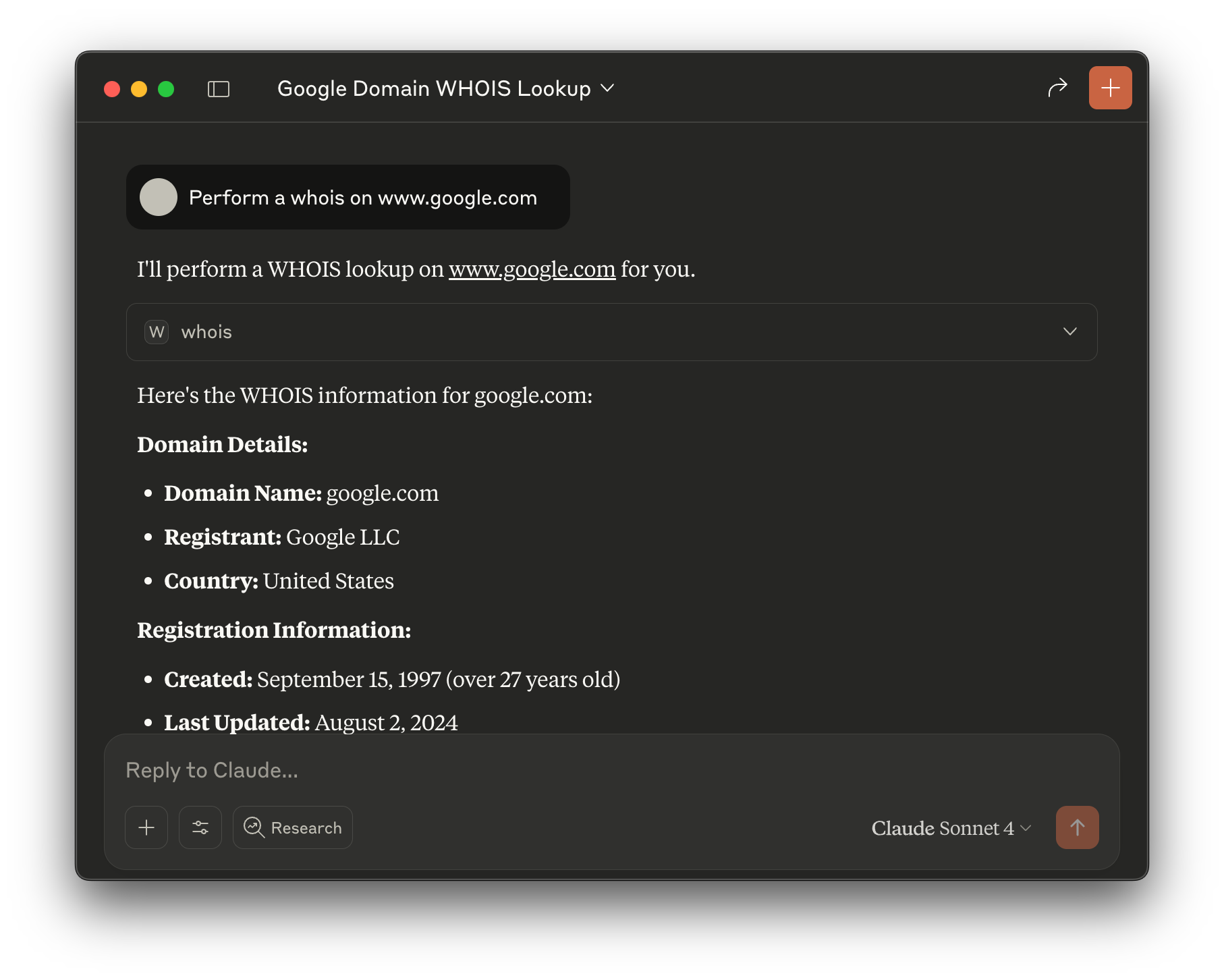
With it, you can have a fully functional conversation with your AI assistant about your domain, IP, and DNS data:
Key Features
📦 All the features you need from WhoisXMLAPI in an MCP server
- Domain WHOIS information and history
- DNS lookups and historical data
- IP geolocation and network information
- Email verification and domain categorization
- Reverse DNS, MX, and NS lookups
- Threat intelligence and security analysis
- And more...
🔐 Security First
- Token-based authentication via environment variables
- No API keys exposed in configuration files
- Secure communication protocols
🚀 Multiple Usage Options
- Native binaries for all major platforms (Linux, macOS, Windows) including ARM64
- Docker containers for simple, dependency-free execution
- Stdio and SSE modes for both direct editor integration and web-based applications
🛠️ Comprehensive Tool Suite
17 specialized tools covering:
- Domain WHOIS information and history
- DNS lookups and historical data
- IP geolocation and network information
- Email verification and domain categorization
- Reverse DNS, MX, and NS lookups
- Threat intelligence and security analysis
Quick Start
There are three main ways to use mcp-whoisxmlapi. Choose the method that best fits your setup:
Using Docker (Recommended for Desktop Users)
Pull the latest v1 image and run it with your API token:
docker pull whoisxmlapidotcom/mcp-whoisxmlapi:v1
Then, configure your client to use this image. Ideal for desktop applications like Claude Desktop and Cursor.
Complete Docker Installation Guide →
Using npm (Easiest for CLI Users)
Install and run directly with Node.js and npm - no downloads or setup required:
# Install globally for easy access
npm install -g @whoisxmlapidotcom/mcp-whoisxmlapi

# Or run directly without installing
npx @whoisxmlapidotcom/mcp-whoisxmlapi --help
Then configure your AI client to use the npm package. Perfect for CLI tools like Claude Code and Gemini.
Complete npm Installation Guide →
Using a Binary
Download the appropriate binary from our Downloads page for your platform:
# Make it executable (macOS/Linux)
chmod +x mcp-whoisxmlapi
./mcp-whoisxmlapi --help
Perfect for users who prefer standalone executables or have specific deployment requirements.
Complete Binary Installation Guide →
Getting Started
Ready to dive in? Here's your next step:
- Installation Guide - Choose your preferred installation method (Docker, npm, or binary)
- AI Client Configuration - Configure your AI client (Claude Desktop, Cursor, etc.)
- Tools Reference - Explore all 17 available tools
- Troubleshooting - Get help when things don't work as expected
Features Overview
🚀 Flexible Deployment Options
- Docker containers for consistency across environments
- npm packages for Node.js workflows
- Native binaries for standalone deployment
- Server-Sent Events (SSE) mode for web applications
🛠️ Comprehensive API Coverage
Access the full WhoisXMLAPI suite through MCP:
- Domain WHOIS lookups and historical data
- DNS analysis and monitoring
- IP geolocation and network intelligence
- Email verification and domain categorization
- SSL certificate analysis
- Threat intelligence and security insights
- Reverse DNS, IP, and WHOIS searches